
nex-cluster: several Linux machines as one computer
Designed and developed by Roberto Arato of aratoingegneria.it
nex-cluster (the name comes from nexus, a bond) joins several Linux nodes into one system that is used like a single machine. There is a common folder, the same users and the same processes, visible from every node. Programs run where there is room, but their window, their audio and their devices stay where you work. No containers, manifests or rewritten programs: you use the commands and applications you already know.
Everything in user space, no kernel module. NEX does not modify the kernel and installs no modules or patches: its programs run as ordinary Linux services and commands, and use only standard kernel features (FUSE for the NEXFS client, cgroups, systemd). The kernel stays the one of the distribution, with its security updates, and NEX is installed, upgraded and removed like any other package.
What sets NEX apart
- Window, sound and terminal stay with you. A program started on
another node, from the terminal, the menu or the file manager, shows its
window on your desktop (X11 and Wayland), plays its sound on your
speakers (PulseAudio and PipeWire), and its terminal, signals and exit
code come back to you. Nothing to set up: no
ssh -X, no remote desktop. - The devices of every node, shared. A serial port, an instrument or a
board attached to one node is used from any node as
/devnodes/NODE/dev/NAME, with any serial program. Local sockets, disks (NBD) and USB peripherals (USB/IP) travel the same way, and the node that owns a device checks who may use it. - The office printers and scanners for every node. The administrator
adds a printer once and every node prints to it: from the terminal, from
the print dialog of GNOME and KDE, and from a program started on another
node. There are two or three print servers, behind a virtual address
(
print.nex) that moves by itself to another one if one stops; driverless printers (IPP Everywhere, AirPrint) are added with one command, older ones with their driver. Network scanners (eSCL, WSD) and USB multifunction printers are seen from every node, with Simple Scan, XSane orscanimage(guide). - One process table.
nex ps,nex top,nex kill NODE:PID: the processes of all the nodes as on one machine, with a job queue that starts work where there are free CPUs. - Cluster ports and shared clipboard. A program listening on
nex:PORTon any node is reached at the same address from every node; copy on one NEX desktop and paste on another. - Its own distributed filesystem, NEXFS.
fsyncreturns only when the data is on the disk of all copies; the number of copies is chosen folder by folder and grows by itself, up to three, as storage nodes join. A storage node can have several disks, up to 16, also of different sizes: if one breaks the node goes on with the others. Hourly snapshots recover a deleted or changed file. - Secure without having to think about it. Every cluster has its own certificate authority; all the traffic between the nodes travels over mutual TLS 1.3 and cannot be switched off; the data disks are encrypted (AES-256-XTS) with the key kept outside the disks; encrypted secrets for programs, tokens kept only as a hash, a log of who did what. Signed packages and upgrades without downtime: the page Security and the CRA puts them next to the requirements of the European Cyber Resilience Act.
- Tried in a few clicks. The NEX Live USB stick starts
any computer from memory, without touching its disk, and NEX Setup, the
graphical setup, creates the cluster on the first computer and lets the
others join with the cluster password alone: the cluster is found on the
network by itself. The same with the virtual machine
images and with the
nex-desktoppackage on installed computers. - Every computer in its place. A node runs programs, keeps data or does
both; a laptop or a light computer joins as a terminal: it sees
/nexand starts programs on the other nodes, but runs nothing for others. - Windows and Mac in the same office. The cluster files open from File Explorer and from the Finder through Samba, with the same user and password (guide).
- Three desktops. GNOME, KDE Plasma and XFCE:
/nexin the file manager, «run on the least loaded node» with the right click, NEX Monitor, notifications of finished jobs and the NEX icon in the panel. - Upgrades without stopping.
nexctl upgradeupdates one node at a time while every service keeps answering.
All of this with the programs you already have: no containers, no rewritten applications, the standard kernel of the distribution.
Who it is for
- Engineering offices and technical studios: calculations, simulations and rendering on the least loaded node, started from your own desktop.
- Computing and research labs: job queues, per-user quotas, resource accounting, without learning a new environment.
- Small server rooms: services that move by themselves to a live node, with their IP address, and upgrades without stopping anything.
- Anyone who already has several Linux machines and wants to use them together without moving to Kubernetes.
What it does
One system
- Common filesystem
/nex: user homes, projects and data seen the same from every node, on NEXFS, the distributed filesystem of nex-cluster: strong on metadata and small files, light to install and administer, withfsyncon the disk of every copy, TLS between the nodes and encrypted disks. - Nodes that join and leave while running: compute or storage nodes,
added with NEX Setup (graphical) or
nex-setupin a few seconds. - Cluster users: the same credentials and the same home on every node, quotas for space, CPU and memory.
Processes of the whole cluster
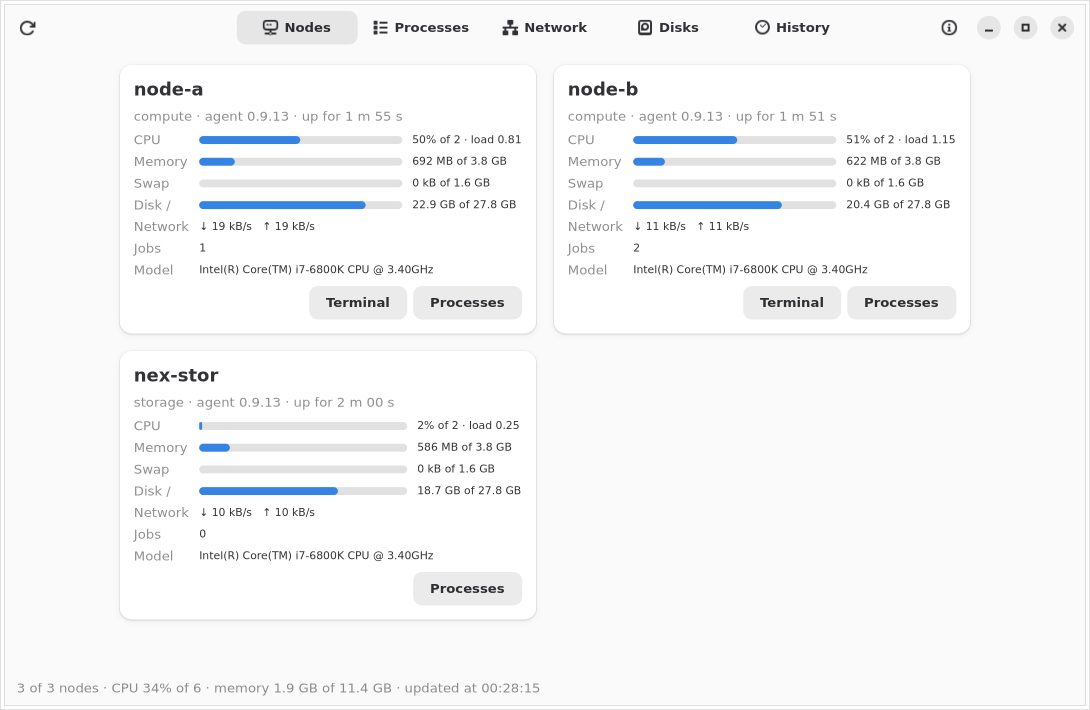
nex ps,nex top,nex free,nex df,nex cpu,nex net,nex ss: the state of all the nodes together, like the usual commands.nex kill,nex wait,nex msg: signals, waits and messages towards any node.- NEX Monitor on the desktop (GNOME, KDE Plasma, XFCE) and a web dashboard, with an HTTP/JSON API.
Running where there is room
nex run --node any: the program starts on the least loaded node, with terminal, signals, graphics (X11 and Wayland) and audio coming back to you.- Detached jobs, queue, scheduled tasks and locks:
nex run -d,nex submit,nex cron,nex lock. - nexsh: a bash that knows which node you are on.
on node-b commandandcn node-bto move around.
Compiling with the whole cluster
nex make spreads the compilations over the nodes with free CPUs: the gain
grows with the number of nodes, and with the shared cache rebuilds are fast.
The details are on the Performance page.
Services and devices
- Cluster services with replicas, health checks and virtual IP
addresses that follow the service.
nexctl upgradeupgrades the nodes one at a time, and in the tests not a single request was lost. - Cluster ports: a program listening on
nex:PORTon any node is reached at the same address from every node, and a port can be offered on a virtual address, also a public one. - Devices of another node in
/devnodes: serial ports, sockets, disks (NBD) and USB peripherals (USB/IP), as if they were attached to your machine. - The office printers and scanners for every node, with spare print servers behind a virtual address.
- Hourly snapshots, backups, alarms, accounting and audit log; SMB
sharing of
/nexfor Windows PCs and Macs.
Desktop
- GNOME, KDE Plasma and XFCE:
/nexamong the folders of the file manager (Nautilus, Dolphin, Thunar) and the right click offering "Run on the least loaded node". - Programs start from the menu with "(NEX cluster)".
- Notifications of finished jobs, the indicator in the GNOME top bar and the NEX icon in the notification area of KDE Plasma and XFCE, with the status of the cluster.
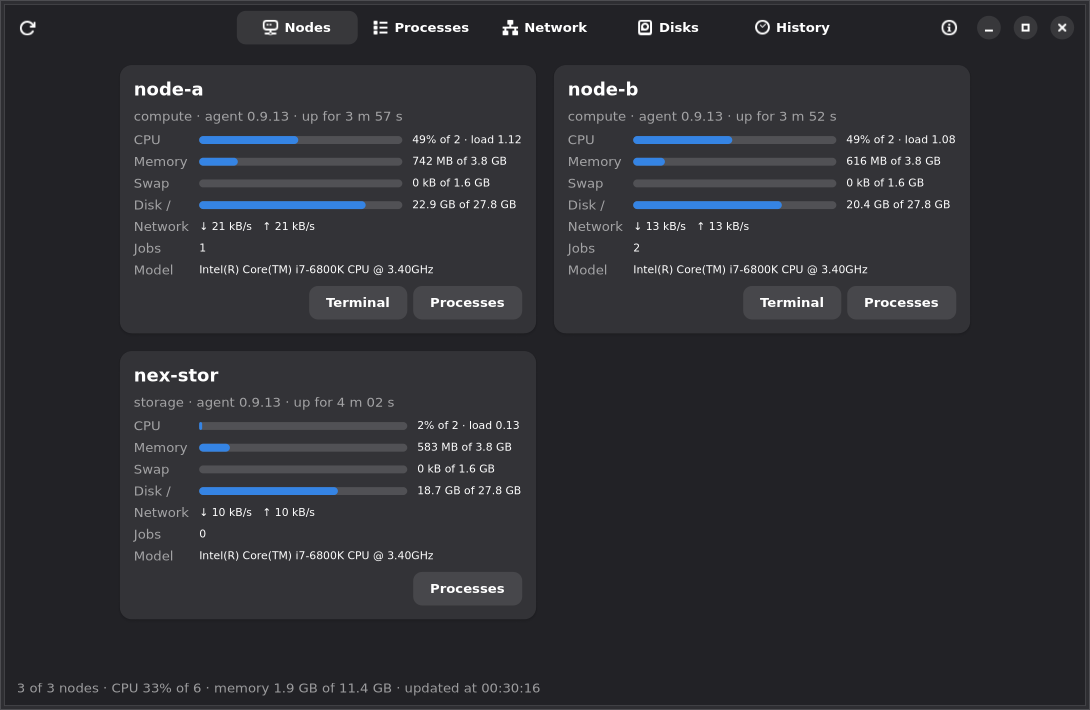
- NEX Monitor for nodes, processes, network, disks and history of the cluster, and NEX Setup to create a cluster or join one without the command line.
How NEX is built, in detail, is in the technical area reserved to those who sign in.
Performance in brief
nex make spreads the compilations over the nodes with free CPUs: the gain
grows with the number of nodes, and with the shared cache rebuilds are fast.
The storage, NEXFS, is strong on metadata and small files. The features of
NEX and NEXFS, and the reasons behind their choices, are on the
Performance page.
Status
NEX is a new solution. Every feature is verified by automatic lab tests: more than 400 tests passed.
NEX is at version 1.0 beta. We are looking for people to try it on real machines: reports and questions to info@aratoingegneria.it.
How it works:
- The node is chosen at start: NEX sends every program to the most suitable node when it starts; a program already running stays where it is.
- The common filesystem is on the network: a network between the nodes of 1 Gbit/s or more is recommended, better if dedicated.
Documentation
The guides below, and the manual pages of the commands. To learn NEX in order, with a lab in every chapter, there are also the four NEX books.
| Guide | |
|---|---|
| Trying NEX from a USB stick | NEX Live and NEX Setup: a cluster in a few clicks, without installing anything |
| Ready-made images | trying nex-cluster with the virtual machine images |
| User guide | the cluster from the point of view of who works on it |
| Command quick reference | all the commands on two pages, also as a PDF to print |
| Installation | installation and configuration, with NEX Setup or nex-setup |
| NEX on real machines | step by step, from three PCs with Debian 13 to the cluster with three copies of the data |
| nexsh | the user manual of the cluster bash |
| Cluster services | nex service: replicas, health checks, IP addresses, cluster ports |
| The dashboard | the state of the cluster from the browser |
| The cluster from Windows PCs and Macs | the SMB share of /nex |
| Printing and scanning | the office printers and scanners for every node |
| HTTP/JSON API | the data and commands of the cluster for other programs |
| libnex | programming the NEX cluster in C |
| The desktop | GNOME, KDE Plasma and XFCE: file manager, menu, notifications, NEX Monitor |
| Security and the CRA | encryption between the nodes, the cluster password, Cyber Resilience Act |
The storage of NEX has its own section: NEXFS, with the overview, the guides and the performance.